


Welcome to Pikull
In the fast-paced world of digital content creation, your most valuable asset is time. Pikull was designed to completely eliminate exhausting, manual processes like video preparation, analysis, and metadata management that typically take hours. Our goal is to ensure you focus solely on your content strategy and growth, without getting bogged down by technical hurdles.
Think of the platform as your smart assistant, automating your viral workflow. Whether you're stripping a video's digital fingerprint (metadata) in seconds to make it brand new for algorithms, or managing massive campaign data, it delivers the power you need with minimalist and flawless speed. Complex workflows and scattered tools are a thing of the past; everything you need is now in one centralized hub.
This documentation center is built to be your ultimate guide in unlocking Pikull's full potential. We are with you every step of the way, from your very first login to mastering our most advanced tools. Now, let's take that first step and discover how to harness this power.
Navigating the Dashboard
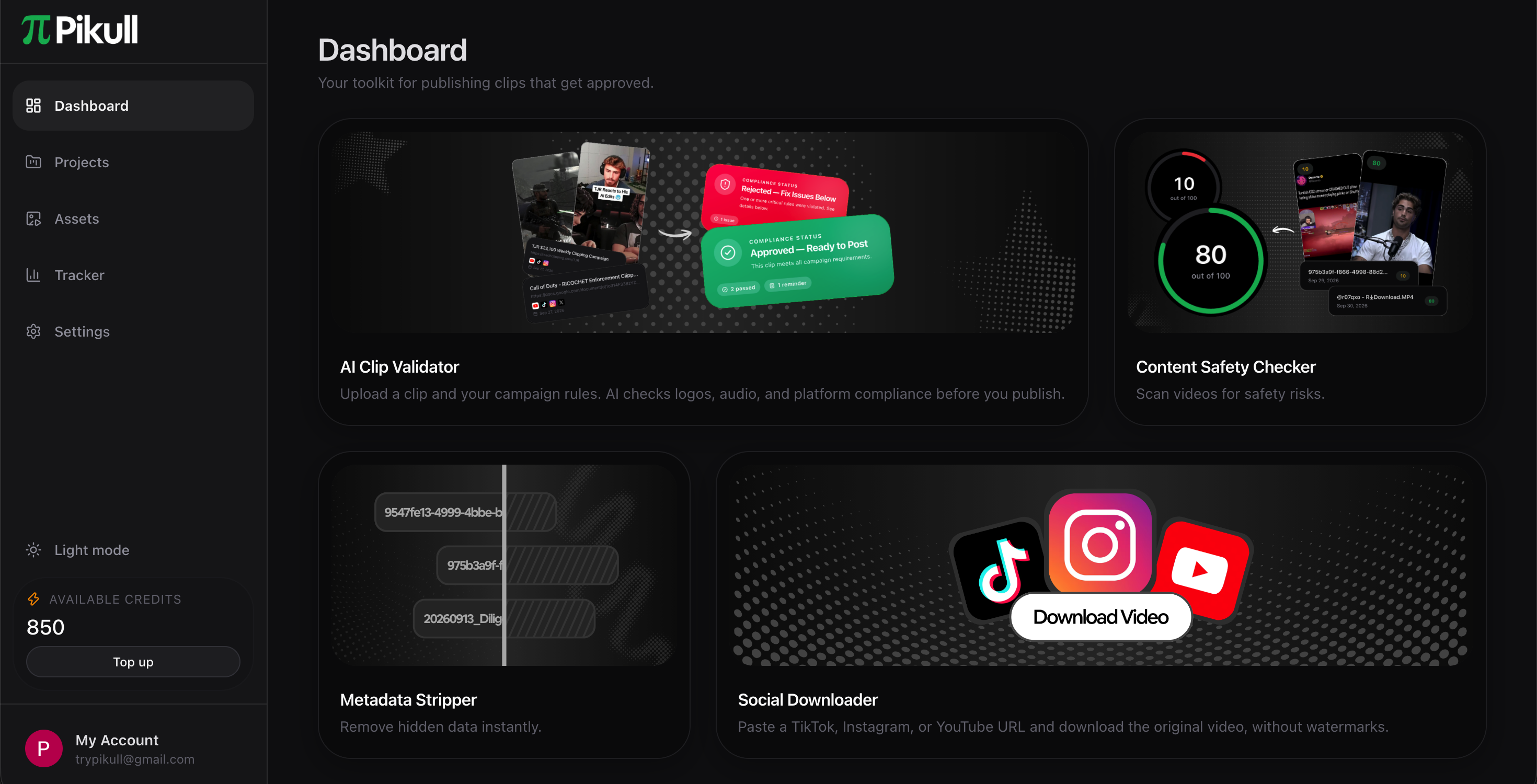
Upon signing up or logging in, you will be greeted by your Dashboard—your central command hub. From here, you can seamlessly view and access all the tools designed to accelerate your workflow. Simply select the tool that fits your current need and start creating. Please note that every new account includes 20 complimentary credits to get you started. Once these are depleted, you will need to top up your balance to continue utilizing the tools.
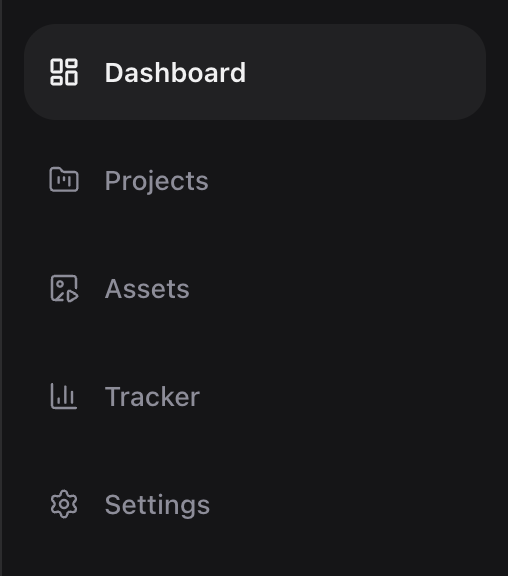
The left-hand sidebar acts as your primary navigation menu, housing everything you need to manage your Pikull workspace efficiently:
- Dashboard: Your main workspace. This is where all your essential tools are located and where you will likely spend most of your time.
- Projects: The control center for your campaigns. Here, you can easily create, edit, and manage your campaigns, analyze your videos, or delete projects you no longer need.
- Assets: Your personal media library. This page allows you to view, manage, and delete your uploaded videos. At the top of the page, you can monitor your current storage capacity, which can be upgraded based on your credit plan. If you reach your storage limit, new uploads will be paused, but you can always free up space by deleting older files.
- Settings: Manage your Pikull experience. From here, you can update your profile details, select and purchase credit plans, securely log out, or delete your account entirely.
Tip: You can always keep an eye on your usage, as your remaining credit balance is conveniently displayed on both the sidebar and the Settings page.
Account & Profile Setup
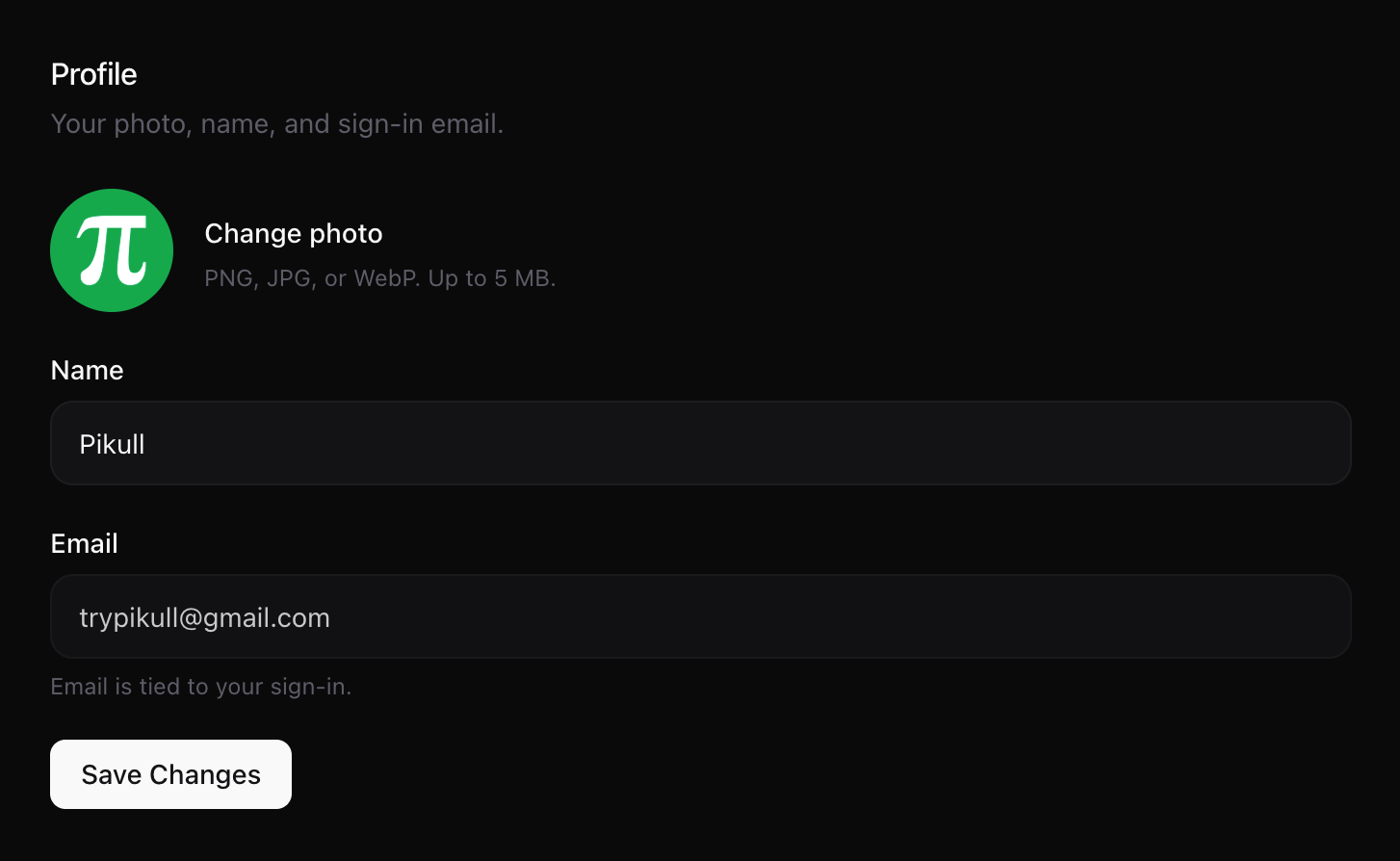
Once you have created your account or logged in, personalizing your Pikull workspace is quick and easy. To update your profile picture or change your display name, simply navigate to the Settings page via the left-hand sidebar.
- Updating Your Profile Picture: Click on the circular avatar image, select your preferred photo from your device, and it will upload automatically. Your profile is instantly refreshed!
- Changing Your Display Name: You can easily update your name in the text box located directly below your profile picture. Once you have entered your new name, don't forget to click the Save button to apply your changes.
Security & Authentication
At Pikull, we prioritize both your security and your convenience, offering flexible options to access your workspace seamlessly:
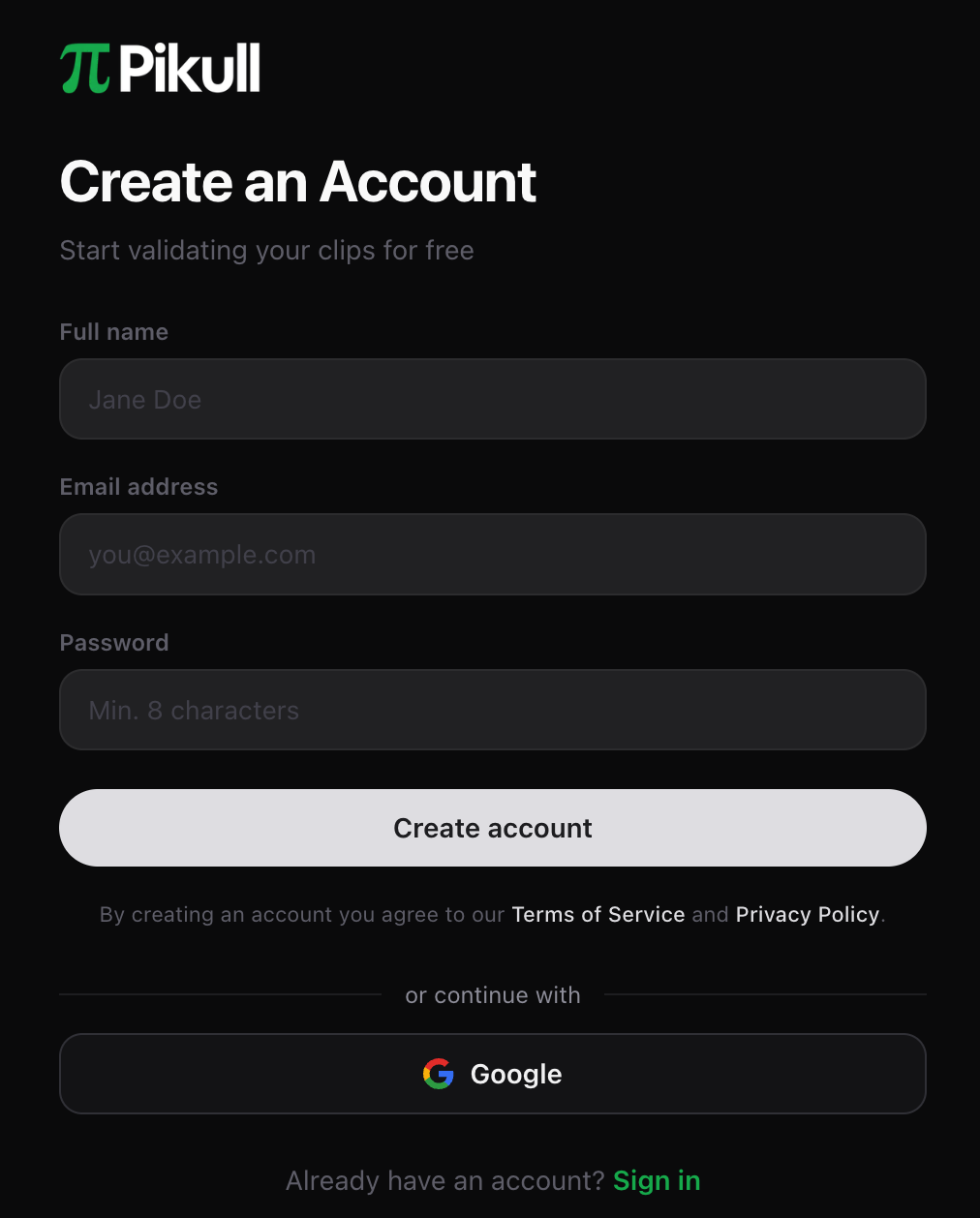
- The Fast Track (Continue with Google): Skip the manual entry and save valuable time. Whether you are registering for the first time or logging into an existing account, simply click the Google button and select your account. Within seconds, and following a quick email verification, you will be instantly redirected to your Dashboard. It is exactly that simple!
- Standard Registration (Email & Password): Prefer the traditional route? Head over to the Sign-Up page and provide your full name, email address, and a secure password. To ensure your security, we will send a verification link directly to your inbox. Once you confirm your email, your account creation is complete, and you can securely access your workspace anytime via the Log In page.
Understanding Campaigns
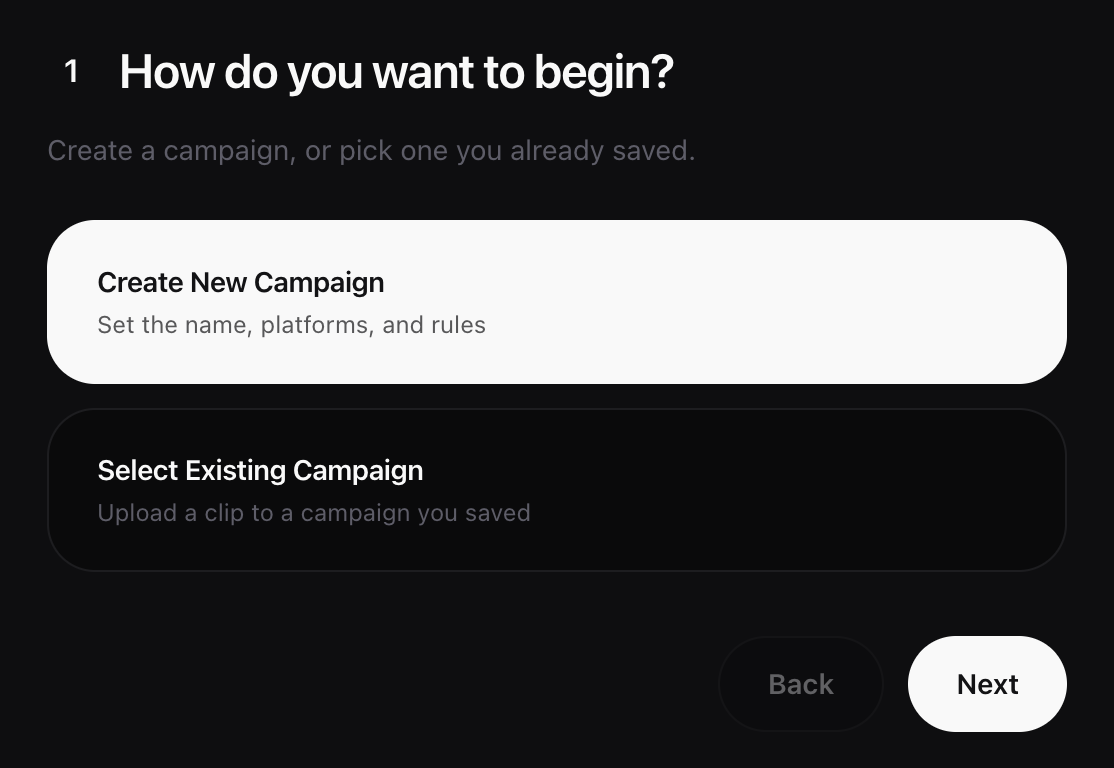
At Pikull, campaigns are the heart of your workflow. To analyze any video, you must first create a campaign. This structured approach is designed to keep your workspace perfectly organized—instead of dealing with scattered, isolated clips, all related videos are neatly grouped together under a single campaign. Once analyzed, your videos can seamlessly pass through our other tools, ensuring they are fully optimized and ready for social media publishing.
The Campaign Workflow:
- Platform Selection: Start by choosing the social media platforms where you intend to share your content.
- Profile Verification: You will be prompted to upload a screenshot of your social media account profiles for the selected platforms.
- Condition Setup & Analysis: Define your campaign conditions using one of our three available methods. Once set, the AI analysis begins immediately.
- AI-Powered Insights: Our AI goes beyond basic checks—it analyzes both your video content and your profile screenshots. If any element violates your campaign conditions or requires adjustment, the AI will pinpoint the issue, prompt you to fix it, and provide strategic guidance on exactly how to post for the best results.
Tip: You don't always have to upload new files; you can easily start an analysis using any of the videos you have previously saved in your Assets page.
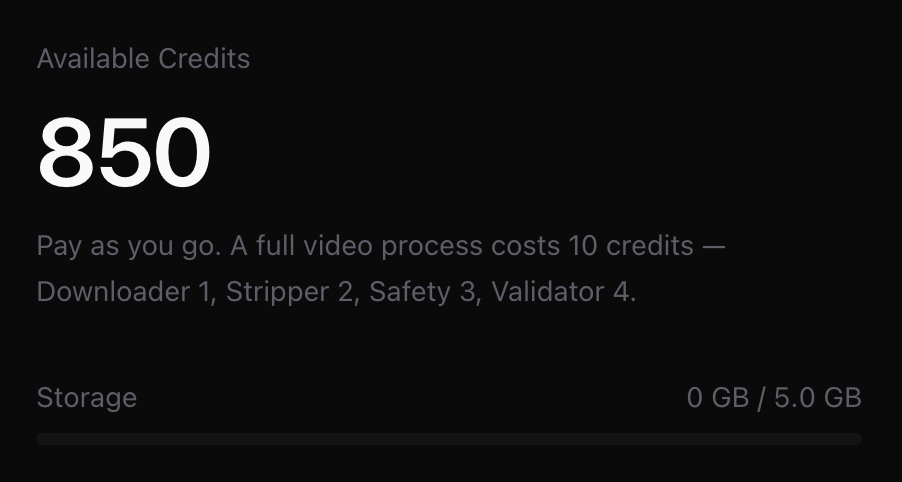
The Credit System
Every new Pikull account comes with 20 complimentary credits on the free plan, allowing you to experience our tools risk-free. As your operations scale, our premium plans—Starter, Viral, and Agency—offer expanded credit balances tailored to your needs. You can explore all the features and details on our Pricing page.
Pikull operates on a transparent, action-based credit system. Each tool consumes a specific number of credits based on the complexity and processing power required:
- AI Clip Validator (4 Credits): Our most powerful and comprehensive feature. This tool performs heavy-duty, deep analysis to ensure your clips are perfectly optimized and ready for maximum reach.
- Content Safety Checker (3 Credits): Protect your accounts. This tool meticulously scans your content to ensure your videos are completely safe, compliant, and risk-free for publishing.
- Metadata Stripper (1 Credit): Erase your digital footprint. This tool anonymizes your video files by stripping away all embedded metadata, eliminating any "copied" footprint and keeping your content fresh in the eyes of algorithms.
Managing Your Credits: Running low on credits? You can easily top up or upgrade your plan at any time directly from the Settings page or via our website. To keep track of your usage, your remaining credit balance is always visible in real-time on the left-hand sidebar and within your Settings.
Top-Up Basics
Running out of credits doesn't mean the end of your Pikull journey. Your account will remain fully active and secure, though access to our tools will be temporarily paused until your balance is replenished.
While your initial 20 complimentary credits give you a great opportunity to test drive our features, keeping your account topped up ensures your workflow remains completely uninterrupted.
We believe in ultimate flexibility: our credit plans are not tied to rigid monthly subscriptions. This means you are never locked in. You have the complete freedom to top up your credits, upgrade to a higher tier, or switch to a lower plan at any moment. You only pay for what you need, giving you total control over your content production and your budget.
Quick Start: Your First Workflow
The time for setup is over—it is time to take action. Dive in and launch your first workflow today!
- Create & Upload: Head over to Pikull, create a new campaign, and upload your generated video clips alongside your social profile screenshots.
- AI Analysis: Sit back and let our AI do the heavy lifting. It will thoroughly analyze your content and instantly notify you whether your video meets the campaign conditions—providing clear, actionable feedback for its verdict.
- Publish & Scale: If your video gets the green light, do not hesitate. Hit publish and watch the views roll in! But do not just wait around; keep the momentum going by creating and uploading new clips.
With Pikull, you secure your content, confidently validate your RPM (Revenue Per Mille) potential, and completely eliminate the stress of worrying about strict campaign guidelines.
Simple. Seamless. Fast. Start your first campaign right now!